
Telemundo 40 McAllen Noticias
NBCUniversal Media, LLCNews & Magazines
4.4215.00 Reviews
- Version
- 8.9
- Installs
- 100.00K
- Age Rating
- Teen
Screenshots
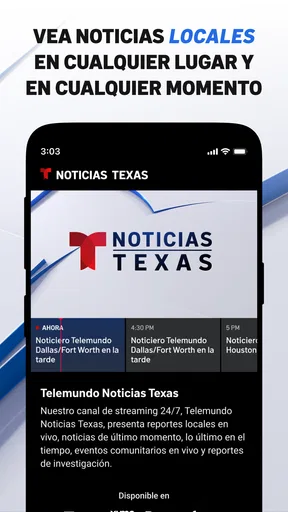
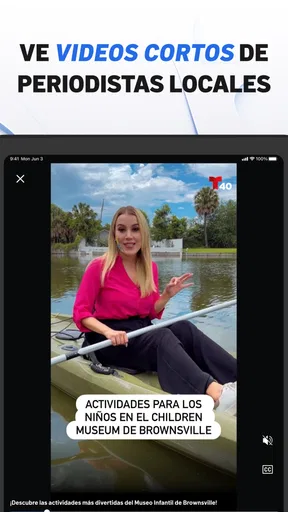
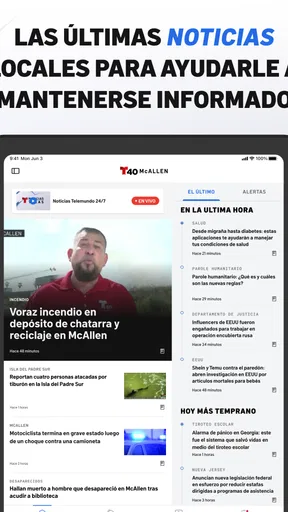
Our Review of Telemundo 40 McAllen Noticias
 Analysis by Appyee
When I want local information for McAllen, Texas, I usually care less about having a huge national news feed and more about getting the details that can change my next hour: a traffic problem on the way to work, a weather development before leaving home, or an alert that matters specifically to the Rio Grande Valley. That is the space where Telemundo 40 McAllen Noticias makes sense. It is a free News & Magazines app from NBCUniversal Media, LLC, built around local news, traffic alerts, and weather for McAllen.
After using it as a focused local-news tool, my main takeaway is simple: its value comes from reducing the distance between a story and the place where I live, drive, or make plans. It is not trying to replace every news source on my phone. Instead, it works best as a regional companion that I can check quickly when local conditions matter more than broad headlines.
Local alerts are the app’s most practical strength
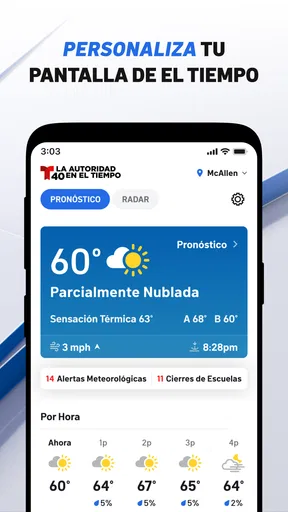
The capability I found most useful is the combination of local traffic and weather information in one McAllen-centered experience. That pairing sounds straightforward, but it changes how I use the app. A general news service may tell me that severe weather is developing somewhere in Texas, while a national weather app may show conditions without explaining their local relevance. Here, the focus is narrower, which makes the information easier to connect with my actual plans.
I think of the app as a decision tool rather than something I open for long reading sessions. Before driving across the area, I can check whether a traffic alert deserves a route change. Before taking children to an outdoor activity, I can look for weather developments that could affect the plan. If I am already following a local story, the same app gives me a place to return for updates without sorting through unrelated regional or national coverage.
That local emphasis is especially important in McAllen, where a small change in road conditions or weather can be more useful than a polished national forecast. The app’s store summary identifies those three pillars directly: local news, traffic alerts, and weather. In my experience, that makes the product easier to understand than broad news apps that present dozens of sections before I reach anything nearby.
The strongest benefit is context, not volume. I would not choose this app because I expect an endless stream of articles. I would choose it because the information is aimed at one community and can support quick everyday decisions. That distinction matters when deciding whether it belongs on your phone.
What checking it feels like in everyday use
I get the most from the app when I open it with a specific question. Is there anything local that could affect my route? Has the weather changed enough to adjust my plans? Is there a developing story in McAllen that I should understand before relying on social media posts? A focused question keeps the experience efficient and prevents a local-news app from becoming another feed that I scroll through without remembering anything.
For example, imagine leaving for work during a morning when rain is building across the area. I would first look at the weather information, then check traffic-related updates before choosing my route. If the app presents a local alert that affects the roads I use, it can save me from treating a generic commute estimate as the whole picture. The useful part is the sequence: weather creates the possibility of disruption, traffic information shows the practical effect, and local news may provide additional context.
I also see value in checking it after arriving somewhere, rather than only before leaving home. Local situations can develop while I am away from my usual routine. A quick visit during lunch or before heading back can help me decide whether to leave immediately or allow extra time. This is a small habit, but it is more realistic than expecting any news app to be open constantly.
The app is not a substitute for careful driving or official emergency instructions. I would never treat an alert as permission to take risks, and I would still verify serious situations through appropriate local authorities. Its role is to improve awareness, not to make safety decisions on my behalf.
Where it fits beside other news and weather apps
Compared with a national news application, this one has a clear advantage for local relevance. National services are better when I want politics, business, entertainment, or major events from across the country and the world. They are also more suitable if I need one app for many regions. The trade-off is that local McAllen information can be buried under stories that have no immediate effect on my day.
Compared with a dedicated weather app, Telemundo 40 McAllen Noticias is likely more useful when I want weather in a local-news context rather than weather as a standalone dashboard. A specialized weather service may be the better choice for detailed forecasting tools, extended planning, or people who monitor conditions closely. I would keep one of those alternatives if weather is a hobby, a job requirement, or a serious concern for outdoor work.
Compared with social media, the app offers a more deliberate way to follow local information. Social platforms can surface eyewitness posts quickly, but they can also mix speculation, old images, and incomplete details into the same stream. I prefer using this app as a first local check, then treating social posts as supplementary rather than automatically reliable. That workflow reduces the chance of reacting to a dramatic post without enough context.
Local television coverage remains a reasonable alternative for people who prefer watching news instead of reading it. I would choose the app when I need a quick mobile check and choose broadcast coverage when I want a fuller presentation. Neither format completely replaces the other; they serve different moments.
A useful routine for commuters and families
The best scenario for me is a weekday commute combined with a changing weather situation. I would open the app before leaving, scan the local headlines, check traffic alerts, and then look at the weather information. If nothing affects my route or schedule, I can close it in a minute. If there is a relevant development, I have enough context to decide whether to leave earlier, change plans, or look for an additional source.
Families can use the same routine before school activities, appointments, or weekend outings. The key is not to keep refreshing the screen. Instead, I would check at natural decision points: before leaving, before returning, and when an alert changes the situation. This makes the app useful without turning it into a constant distraction.
One less obvious advantage of this workflow is that it connects three kinds of information that are often separated. Weather explains a possible cause, traffic shows a direct travel consequence, and local news can explain what is happening in the community. I find that combination more useful than checking three unrelated apps and trying to assemble the meaning myself.
Another practical tip is to use the app as a confirmation step, not the only step, when a situation is important. If I see something that could affect safety, travel, or a family event, I would compare it with an official notice or another trusted source. This is not a criticism of the app; it is a sensible habit for any fast-moving local information service.
What may frustrate experienced news users
The narrow focus that makes the app useful can also make it feel limited. Someone who wants a complete national briefing, deep investigative reading, international coverage, or a wide range of opinion will probably need another service. I would not install it expecting a single app to cover every part of my news day.
There is also a difference between an alert being available and an alert being perfectly timed for my personal situation. A local traffic notice may matter greatly to one route and hardly at all to another. Weather information can describe a broader area than the exact neighborhood where I am standing. I still need to interpret the information instead of assuming that every update applies equally to my location.
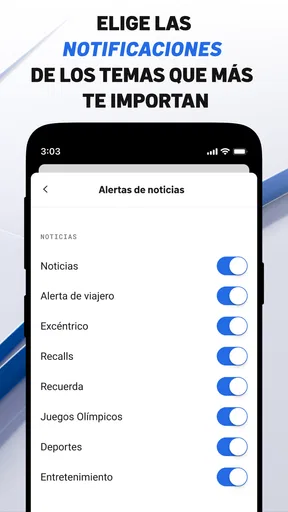
People who dislike notifications should think about how they want to use a local-alert app before installing it. Alerts can be valuable when they help me notice an important development, but too many interruptions can make the phone feel noisy. My preference is to keep the app for intentional checks and be selective about which notifications I allow, where the device offers those controls. The right balance depends on whether speed or quiet matters more to me.
Reading local news on a phone also has limits. A short visit works well for headlines and immediate awareness, but a small screen is not ideal for extended reading. If I want to study a complicated story carefully, I would rather use a larger screen or a longer-form source. This app’s strongest role is quick, local awareness, not replacing every format of journalism.
Its age rating is Teen, so I would still use ordinary parental judgment for younger children. The rating does not determine whether every individual story is suitable for every family, especially when local news involves accidents, emergencies, or difficult events. Adults should decide how children access news and how those stories are discussed.
Who will get the most from it
I think the app is a good fit for people who live in McAllen or regularly travel through the area and want local information without searching through a broad news service. It is also useful for residents who already follow Telemundo’s local coverage and want a mobile way to check updates. Spanish-speaking users may find the product especially relevant because its identity is tied to Telemundo’s local news presence, while the practical value remains its McAllen-centered focus.
It can also help people who have moved away but still care about local developments. A former resident may not need a general Texas feed; a focused local source can make it easier to keep track of weather, traffic, and community stories connected to the area. Visitors and occasional commuters may benefit too, although I would pair it with a broader navigation or weather tool for detailed trip planning.
I would skip it if I only want international headlines, a highly technical weather workstation, or a universal news reader for several cities. I would also skip it if I never need McAllen-specific information. A local app earns its place through relevance, so its narrow coverage is not a weakness for the right audience but is a poor match for everyone else.
The app is free, which lowers the risk of trying it as a secondary source. It has reached over one hundred thousand installs and holds a 4.4 average from roughly a thousand ratings, suggesting that many users find the local focus worthwhile. I treat those figures as background rather than a guarantee: my own decision would depend more on whether McAllen news, traffic, and weather are genuinely part of my routine.
Version, device fit, and the practical decision
The current version is 8.9, and the app supports devices running iOS 9 or later. That makes the compatibility detail worth checking before installation, particularly if I am using an older device or maintaining an older operating system for stability. On a supported phone, the main question is not whether it can replace every other news tool, but whether its local focus fills a gap in the apps I already use.
I would install it alongside, rather than instead of, a navigation service and a dedicated weather option if travel or forecasting is important to me. The combination gives me specialization where I need it: local reporting from this app, route planning from navigation, and deeper weather detail from a weather service. If I only want a quick local check, however, adding all three may be unnecessary.
My recommended approach is to try it for a normal week, not just during a major weather event. Check it before a commute, during a changing day, and before a local outing. That shows whether the app’s alerts and coverage fit your routine. It also reveals whether you prefer its focused local perspective or would rather use a broader service with more categories.
After that trial, the decision is fairly clear. Keep it if McAllen-specific updates help you make faster, better-informed plans. Remove it if you find yourself opening it only for information you could get more effectively elsewhere. Because it is free, the main cost is attention rather than money, and that is the trade-off I would evaluate most carefully.
Overall, I see Telemundo 40 McAllen Noticias as a practical local companion, especially for commuters, families, and residents who want traffic and weather connected to community news. Its focused coverage is more useful than a broad feed when the question is “what affects McAllen today?” It is not the right all-purpose news replacement, but it does not need to be. For the people it serves, the app’s real strength is turning local updates into better everyday decisions.
Verdict
Strengths of Telemundo 40 McAllen Noticias
- Local coverage focused on McAllen, Rio Grande Valley, and South Texas
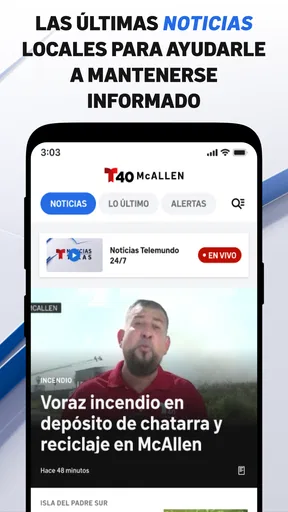
- Breaking-news alerts help users stay updated on developing stories
- Includes Spanish-language news for a broad Hispanic audience
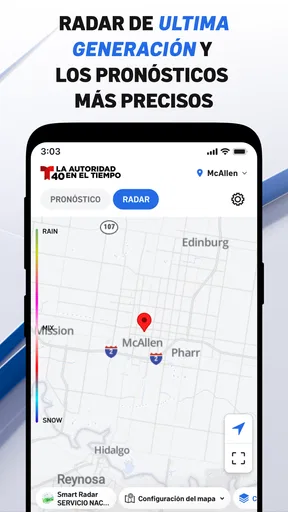
- Weather forecasts and updates are useful for local daily planning
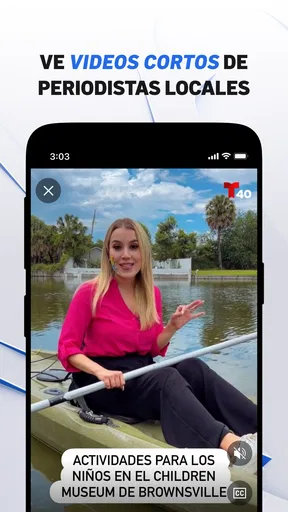
- Video reports provide more context than short text headlines
Limitations of Telemundo 40 McAllen Noticias
- Some stories may focus heavily on regional issues and feel less relevant elsewhere
- Frequent notifications can become distracting without careful settings
- Video playback may use significant mobile data on cellular connections
- Content availability may vary depending on location and broadcast rights
- Advertising can interrupt browsing and video viewing
Other Releases by NBCUniversal Media, LLC
View All
NBC Sports
Sports3.6

The NBC App - Stream TV Shows
Entertainment4.2

Universal Studios Hollywood
Travel & Local3.3

Noticias Telemundo
News & Magazines4.5
Similar Picks in This Category
View All
Google News - Daily Headlines
Google LLC4.0

X
X Corp.4.8

Flipboard:Your Social Magazine
Flipboard3.4

Opera News: breaking & local
Opera4.5

Hindi News by Dainik Bhaskar
Dainik Bhaskar Group4.0

Way2News Daily News App
Way2News ( Formerly Way2SMS )4.6
Frequently Asked Questions
What is Telemundo 40 McAllen Noticias?
Telemundo 40 McAllen Noticias is the news app associated with Telemundo 40, serving the Rio Grande Valley and nearby communities in South Texas. It provides local and regional reporting, breaking news, weather updates, traffic information, videos, and stories related to McAllen, Brownsville, Harlingen, Edinburg, and surrounding areas. The app is designed for users who want quick access to Spanish-language news on a mobile device.
What type of content can I find in the app?
After opening the app, users can typically browse local headlines, national and international news, weather forecasts, severe-weather alerts, traffic reports, sports coverage, entertainment stories, and video segments from Telemundo 40. Coverage may include community events, public safety updates, politics, health, and consumer information. Available sections and stories can change depending on current events and the station’s publishing schedule.
Does Telemundo 40 McAllen Noticias provide live news or weather alerts?
The app may offer live streams, live newscasts, breaking-news coverage, or station video content when those features are available in your area and permitted by the broadcaster. It can also provide notifications for important local developments and severe weather. Availability may depend on your location, internet connection, device settings, and the station’s current programming, so it should not be your only source for emergency instructions.
Is Telemundo 40 McAllen Noticias free to download and use?
The application is generally available to download at no cost from the supported Android or iOS app store. Some content and features may be accessible without payment, although the app can include advertising, sponsored material, or links to external services. Mobile data charges may apply when watching videos, streaming live content, or receiving updates over cellular networks, so checking your carrier plan is recommended.
Does the app require an account or share my location?
You may be able to read many news stories without creating an account, but certain features—such as personalized alerts, saved content, or participation in station services—could request additional information. Location access may be used to show relevant weather, local coverage, or nearby alerts, but it is usually controlled through your device permissions. Review the app’s privacy policy and adjust notification, location, and data settings before regular use.
